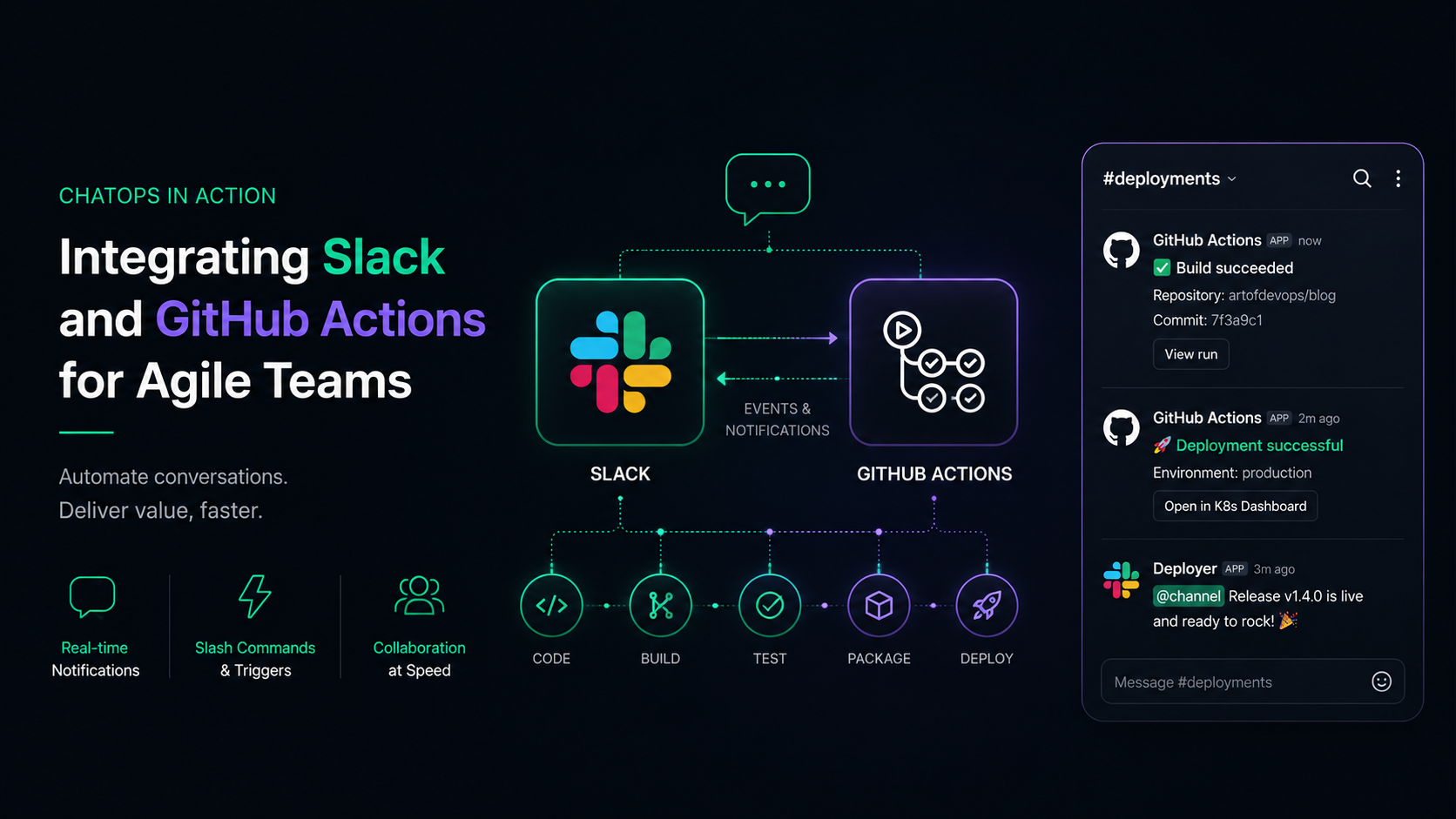
The fast-paced world of software development demands tools and strategies that foster collaboration, streamline workflows, and ensure agility. Enter ChatOps—a revolutionary approach to DevOps that combines chat platforms like Slack with automation tools such as GitHub Actions. This integration empowers agile teams to stay connected, address issues quickly, and automate repetitive tasks, all within a centralized communication hub.
Whether it’s coordinating a deployment or notifying a team about a failed build, ChatOps bridges the gap between collaboration and automation. Let’s explore how Slack and GitHub Actions work together to transform the way agile teams operate.
Understanding ChatOps
Definition and Principles of ChatOps
At its core, ChatOps is the practice of integrating communication tools with DevOps processes. It enables teams to execute commands, view logs, and monitor system statuses directly within a chat interface. This approach ensures that teams have everything they need at their fingertips.
Benefits of ChatOps for DevOps Teams
- Streamlined Communication: By centralizing alerts and workflows, teams avoid the chaos of juggling multiple tools.
- Enhanced Visibility: Every action is logged in a shared channel, fostering accountability.
- Increased Efficiency: Tasks like deployments and incident resolutions become quicker and less error-prone.
Why Agile Teams Need ChatOps
For agile teams, speed and collaboration are paramount. ChatOps facilitates:
- Real-time Collaboration: Teams stay informed and aligned, regardless of location.
- Proactive Issue Resolution: Faster responses to system alerts mean fewer disruptions.
- Automation Opportunities: Routine tasks are handled by bots, freeing up time for strategic initiatives.
Slack: The Backbone of Collaboration
Key Features That Make Slack Essential
Slack is more than a chat app; it’s a collaboration powerhouse with features like:
- Customizable Channels: Organize discussions by project or function.
- App Integrations: Connect with tools like GitHub, Trello, and PagerDuty.
- Interactive Bots: Automate repetitive tasks and receive updates.
Slack Channels for DevOps
To optimize Slack for DevOps, consider creating channels for:
- deployments: Track changes to production environments.
- incidents: Coordinate responses to system outages.
- alerts: Receive notifications from monitoring tools like New Relic.
By structuring channels thoughtfully, you ensure that every conversation has a clear purpose and place.
GitHub Actions: Automating Development Pipelines
Some GitHub Actions that enhance agility include:
- Build and Test Pipelines: Automate unit tests with tools like Jest or PyTest.
- Security Scans: Use tools like Dependabot to identify vulnerabilities.
- Container Deployments: Deploy Docker images to Kubernetes or ECS.
Integrating Slack with GitHub Actions
Setting Up Slack Notifications for GitHub Actions
The integration process involves configuring GitHub Actions to send updates to specific Slack channels. Here’s how:
- Create a Slack App: Enable the Incoming Webhooks feature.
- Add the Webhook URL to GitHub Secrets: Securely store credentials.
- Configure Workflows: Add a step in your workflow file to post updates using
curlor a Slack-specific action.
Example: Notifying Slack About Build Status
name: Notify Slack on Build Status

on:
push:
branches: - main

jobs:
notify:
runs-on: ubuntu-latest
steps: - name: Send Slack Notification
env:
SLACK_WEBHOOK: ${{ secrets.SLACK\_WEBHOOK }}
run: |
curl -X POST -H 'Content-type: application/json' \\
--data '{"text":"Build Completed!"}' $SLACK_WEBHOOK
This simple workflow sends a notification to Slack whenever a build is completed.
Benefits of Slack and GitHub Actions Integration
- Real-Time Updates: Never miss critical events like failed builds or completed deployments.
- Improved Collaboration: Keep everyone in the loop with centralized notifications.
- Enhanced Productivity: Focus on what matters by automating mundane tasks.
Challenges and Solutions
Common Issues When Integrating Slack and GitHub Actions
While integrating Slack and GitHub Actions can be incredibly powerful, challenges may arise:
- API Rate Limits: Slack APIs have limits on the number of requests you can make, which might cause delays or missed notifications.
- Webhook Misconfigurations: Incorrect Slack webhook URLs can prevent notifications from being delivered.
- Permission Errors: Lack of appropriate permissions can block GitHub Actions from sending updates.
Solutions to Address These Challenges
- Optimize API Usage: Aggregate notifications (e.g., batch messages into a single update) to reduce the frequency of API calls.
- Test Webhooks: Validate the webhook URLs before using them in production workflows.
- Set Permissions Carefully: Assign roles and permissions explicitly in GitHub and Slack to ensure smooth integration.
Scaling Integration for Large Teams
For larger teams:
- Use dedicated Slack channels for high-volume notifications to avoid cluttering general discussion spaces.
- Implement message filtering to ensure only critical updates reach Slack channels.
Real-World Examples of ChatOps in Action
Case Studies from Agile Organizations
- E-commerce Company: A major online retailer integrated Slack and GitHub Actions to automate deployments, with alerts sent to
#deploymentschannels. This reduced their deployment time by 40%. - Tech Startup: A SaaS company used Slack to receive real-time build notifications, improving team response time to CI/CD failures by 30%.
- Healthcare Provider: By centralizing monitoring alerts in Slack, the IT team minimized downtime during critical system updates.
Metrics That Improved Post-Integration
- Faster Resolution Times: Teams resolved incidents 50% quicker after integrating Slack alerts with GitHub workflows.
- Reduced Human Errors: Automation eliminated manual steps, cutting deployment errors by 20%.
- Improved Collaboration: Teams reported a 25% increase in satisfaction due to transparent communication.
Security Considerations
Managing Permissions in Slack and GitHub Actions
- Use role-based access controls (RBAC): Limit who can edit workflows or post to Slack channels.
- Regularly audit access permissions to ensure no unauthorized changes occur.
Encrypting Sensitive Data in Workflows
- Store secrets like webhook URLs and API keys in GitHub Secrets.
- Use tools like HashiCorp Vault for an extra layer of security.
Best Practices for Secure API Usage
- Avoid exposing credentials in workflow files.
- Monitor API usage logs to detect unusual activity.
- Rotate API tokens periodically to minimize the risk of compromise.
The Future of ChatOps
Trends in ChatOps Tools and Technologies
The ChatOps landscape is evolving rapidly:
- AI-Powered Chatbots: Bots that predict issues or recommend solutions are becoming popular.
- Voice Commands: Tools integrating voice controls for hands-free operations are on the rise.
- Deeper Integrations: Future updates to Slack and GitHub Actions may include native support for advanced DevOps workflows.
Emerging Features in Slack and GitHub Actions
- Slack Huddles: Real-time audio discussions with embedded system updates.
- GitHub Actions Marketplace: A growing library of pre-built workflows and integrations.
Predictions for the Role of ChatOps in Agile Teams
ChatOps is expected to be central to agile methodologies as teams demand faster, smarter, and more transparent workflows. It will continue to blur the lines between communication and automation.
Conclusion
Integrating Slack and GitHub Actions is a game-changer for agile teams. By bringing communication and automation into a single platform, ChatOps enables faster decision-making, streamlined workflows, and a culture of collaboration. Whether you’re a small startup or a large enterprise, leveraging ChatOps can drive efficiency, enhance transparency, and keep your teams ahead of the curve.
So, if you’re looking to level up your DevOps practices, start exploring Slack and GitHub Actions today. The future of agile teamwork is here—are you ready to embrace it?