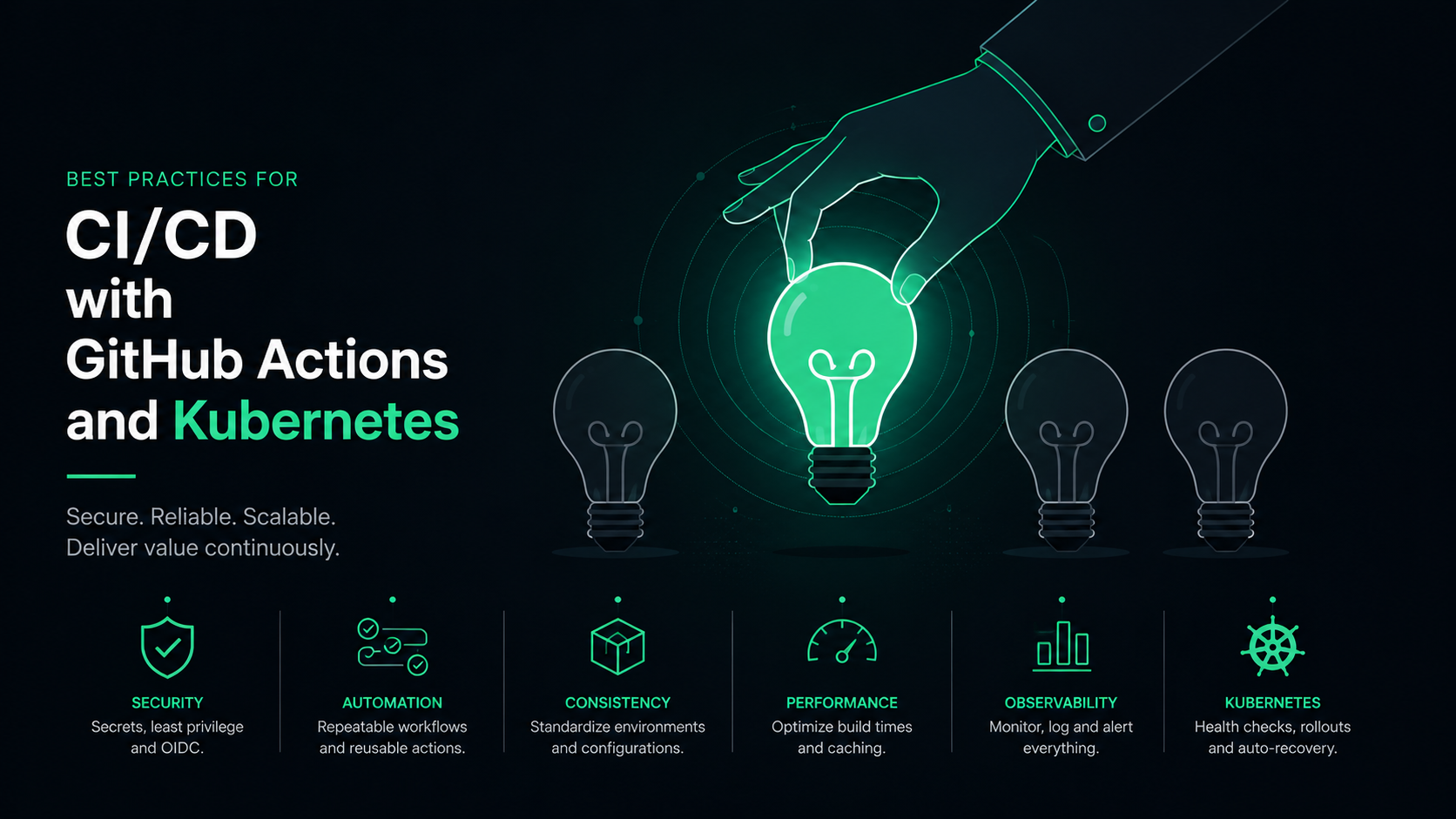
Through my work with tools like GitHub Actions, Docker, and Kubernetes, I've come to understand that well-defined workflows, automated testing, and robust monitoring are the cornerstones of successful software delivery. In this blog, I will share my insights and recommendations based on real-world experience, focusing on the essential best practices that can help your teams achieve greater efficiency and foster a culture of continuous improvement. By prioritizing these strategies, organizations can not only meet the evolving demands of the market but also create resilient and maintainable applications that delight users.
What is CI/CD?
Continuous Integration, or CI, is based on the idea that developers should integrate their work into a shared repository several times a day. This practice allows each code change to be automatically verified through a series of tests. By doing so, problems can be identified and addressed early in the development process, avoiding the painful "integration hell" that can arise when developers wait weeks or months to merge their changes. This approach not only minimizes risks but also fosters a culture of collaboration and communication within work teams, as all members are aware of the latest modifications and can continuously contribute to improving code quality.
On the other hand, Continuous Deployment (CD) takes automation a step further. Once the code has been integrated and validated, it can be automatically deployed to production. This means that users can receive new features and bug fixes almost in real-time, significantly enhancing the end-user experience. The ability to launch frequent updates not only keeps the software fresh and relevant but also allows companies to respond swiftly to market needs and user feedback.
Importance of CI/CD in modern development
Continuous Integration and Continuous Deployment (CI/CD) are essential in modern development, as they transform the way organizations create and release software. These practices enable the automation of processes, significantly reducing the time it takes to deliver new features and bug fixes to the market. Furthermore, they foster a culture of collaboration by allowing developers to integrate changes frequently and receive instant feedback, which improves the quality of the final product. By adopting CI/CD, companies can scale their operations and remain competitive in a constantly evolving technological landscape, ensuring a better user experience and a strong position in the industry.
Key features and benefits of Kubernetes
Kubernetes is a container orchestration platform that has gained popularity for its ability to automate the deployment, scaling, and management of containerized applications. One of its key features is the automated lifecycle management of applications, allowing developers to focus on building software without worrying about the underlying infrastructure. Kubernetes provides functions such as load balancing, automatic pod scaling, and fault recovery, ensuring that applications remain available and responsive to traffic demands. Additionally, its microservices-based architecture allows for updates to be deployed without downtime, facilitating continuous software delivery.
The benefits of Kubernetes are numerous and extend throughout the application lifecycle. First, it provides greater resource efficiency, as it allows multiple containers to be grouped on a single server, optimizing computing resource usage. It also improves application portability, enabling them to run in various environments, from local setups to public or private clouds. Furthermore, its robustness and scalability enable companies to quickly adapt to market changes by implementing new features or adjusting resources as needed. In summary, Kubernetes not only simplifies the management of containerized applications but also drives innovation and agility in software development.
Best Practices for CI/CD with GitHub Actions
To effectively implement CI/CD with GitHub Actions, it is crucial to define clear workflows. For example, a configuration file .github/workflows/ci.yml might look like this:
name: ArtOfDevopsCI Pipelineon: push: branches: - mainjobs: build: runs-on: ubuntu-latest steps: - name: Checkout code uses: actions/checkout@v2 - name: Set up Node.js uses: actions/setup-node@v2 with: node-version: '14' - name: Install dependencies run: npm install - name: Run tests run: npm testThis workflow clearly defines each step of the integration process, from installing dependencies to running tests. It is also important to manage secrets properly. For this, GitHub allows you to add secrets in the repository settings, which can then be used in the workflow as shown below:
- name: Deploy to Production env: APIKEY: ${{ secrets.APIKEY }} run: ./deploy.sh $API_KEY
Another aspect to consider is the use of caches for dependencies. Here’s an example of how to implement caching in the pipeline:
- name: Cache Node.js modules uses: actions/cache@v2 with: path: ~/.npm key: ${{ runner.os }}-npm-${{ hashFiles('**/package-lock.json') }}Best Practices for Kubernetes Deployments
When deploying in Kubernetes, it is essential to take advantage of namespaces for resource isolation. Here’s an example of how to create a namespace:
kubectl create namespace art-of-devops-appWithin this namespace, it is essential to set resource quotas and limits. You can define these limits using a configuration file:
apiVersion: v1kind: ResourceQuotametadata: name: art-of-devops-quota namespace: art-of-devops-appspec: hard: requests.cpu: "2" requests.memory: "4Gi" limits.cpu: "4" limits.memory: "8Gi"Adopting rolling deployments is another best practice. Here’s an example of a rolling deployment in Kubernetes:
apiVersion: apps/v1kind: Deploymentmetadata: name: art-of-devops-app namespace: art-of-devops-appspec: replicas: 3 strategy: type: RollingUpdate rollingUpdate: maxSurge: 1 maxUnavailable: 1 template: spec: containers: - name: art-of-devops-container image: art-of-devops-image:latestSecurity Best Practices
In the context of security, it is vital to implement secret encryption. To securely store secrets in Kubernetes, you can use ConfigMaps and Secrets. Here’s an example of how to create a secret:
kubectl create secret generic art-of-devops-secret --from-literal=username=artOfDevops--from-literal=password=art-of-devopspassIt is also important to apply RBAC (Role-Based Access Control). Below is a basic example of configuring roles and bindings:
apiVersion: rbac.authorization.k8s.io/v1kind: Rolemetadata: namespace: art-of-devops-app name: art-of-devops-rolerules: - apiGroups: [""] resources: ["pods"] verbs: ["get", "list", "watch"]---apiVersion: rbac.authorization.k8s.io/v1kind: RoleBindingmetadata: name: art-of-devops-role-binding namespace: art-of-devops-appsubjects: - kind: User name: myuser apiGroup: rbac.authorization.k8s.ioroleRef: kind: Role name: art-of-devops-role apiGroup: rbac.authorization.k8s.ioTesting in CI/CD Pipelines
The importance of automated testing in CI/CD pipelines cannot be overstated. Here’s a simple example of tests in a GitHub Actions configuration file:
- name: Run unit tests run: npm testImplementing static code analysis can be done using tools like ESLint. Here’s an example of how to add it to the pipeline:
- name: Run ESLint run: npm run lintAdditionally, it is crucial to include integration and end-to-end tests. A simple example of an integration test using Jest could be:
test("should return correct sum", () => {
  expect(add(1, 2)).toBe(3);
});
Monitoring and Observability
The importance of monitoring CI/CD pipelines lies in the need to identify bottlenecks and performance issues. Tools like Prometheus and Grafana can be useful for this purpose. Here’s a basic example of how to install Prometheus in Kubernetes:
apiVersion: v1kind: Servicemetadata: name: prometheusspec: ports: - port: 9090 selector: app: prometheusImplementing observability tools in Kubernetes allows development teams to gain visibility into the status of applications. An example of how to enable log tracking with Fluentd would be:
apiVersion: v1kind: ConfigMapmetadata: name: fluentd-configdata: fluent.conf: | <source> @type kubernetes @id input_kube @label @KUBE # additional configuration </source>Error Handling and Rollbacks
In the context of CI/CD, it is vital to have strategies for handling errors in GitHub Actions. You can use conditions in the workflow to manage failures:
- name: Deploy to Production if: success() run: ./deploy.shIn Kubernetes, having well-defined rollback strategies allows reverting to previous versions of applications. Here’s an example of how to do this:
kubectl rollout undo deployment/my-app -n my-appAutomating Rollbacks and Self-Healing
Automating rollbacks and self-healing of applications can be achieved through configurations in Kubernetes. An example of a pod that restarts automatically upon failure is as follows:
apiVersion: v1kind: Podmetadata: name: art-of-devops-appspec: containers: - name: art-of-devops-container image: art-of-devops-image:latest restartPolicy: AlwaysScaling CI/CD Pipelines with GitHub Actions
As a project grows, it is crucial to scale CI/CD pipelines. You can break complex tasks into smaller jobs and parallelize processes, as shown below:
jobs: build: runs-on: ubuntu-latest strategy: matrix: node-version: [10, 12, 14] steps: - name: Checkout code uses: actions/checkout@v2 - name: Set up Node.js uses: actions/setup-node@v2 with: node-version: ${{ matrix.node-version }} - name: Install dependencies run: npm installConclusion
In summary, implementing best practices for CI/CD and Kubernetes not only improves the efficiency and quality of software but also establishes a solid foundation for future growth. By defining clear workflows, managing secrets, performing automated testing, and monitoring systems, teams can ensure that their applications are robust, secure, and easy to maintain. With the adoption of error management and scalability strategies, organizations can quickly adapt to changing market needs and deliver high-quality software that meets user expectations. The combination of CI/CD and Kubernetes provides teams with the necessary tools to innovate and thrive in a constantly evolving technological landscape.