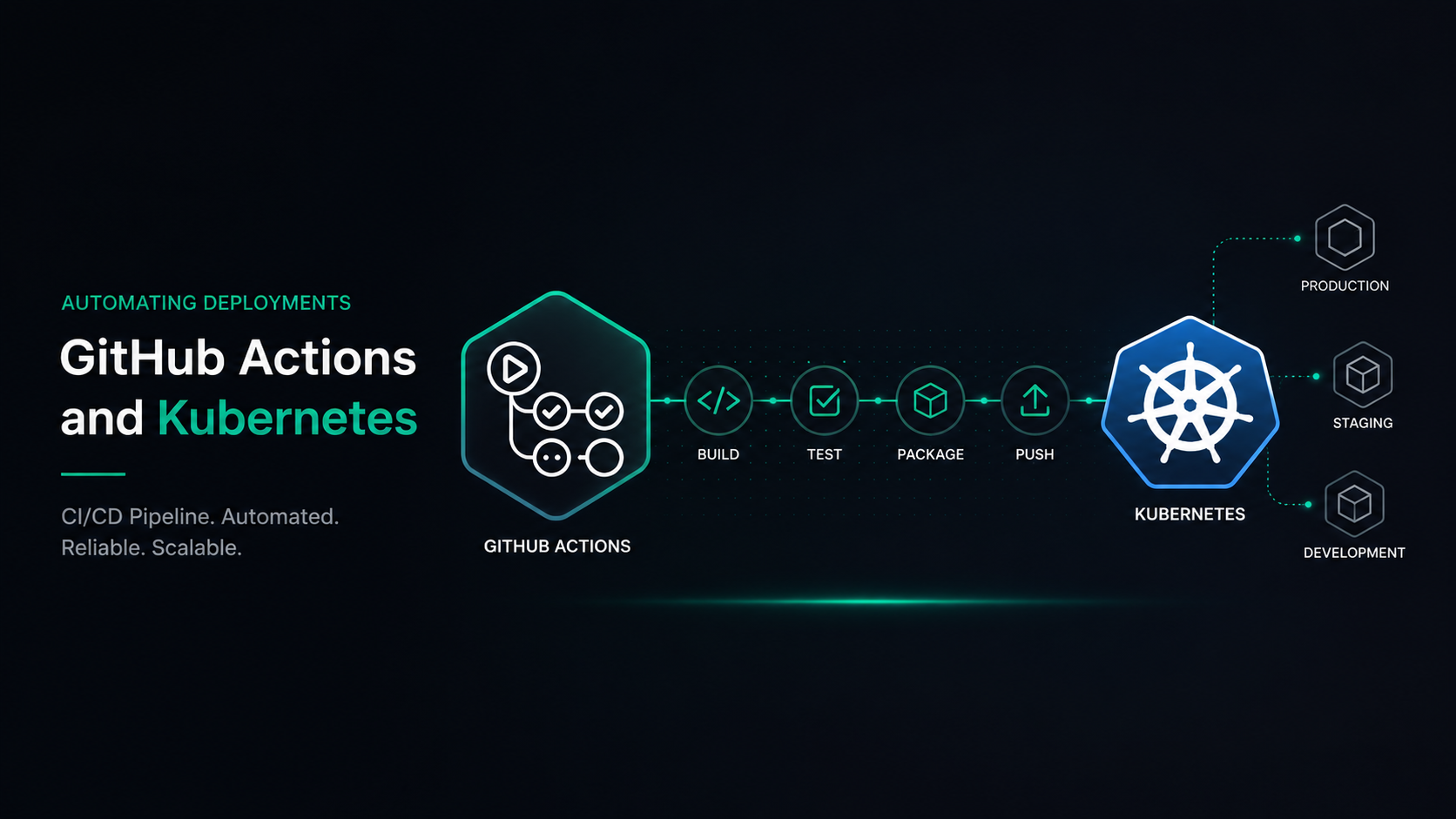
In the fast-paced world of software development, continuous integration (CI) and continuous deployment (CD) are essential to delivering robust, scalable, and reliable applications. One of the key tools that has emerged for DevOps professionals looking to automate deployments is GitHub Actions, especially when paired with Kubernetes. Together, they enable a streamlined, automated deployment pipeline that can help organizations deploy software faster, maintain high availability, and increase overall development efficiency. This guide will dive into how GitHub Actions and Kubernetes can automate your deployments, key steps for configuration, and best practices for leveraging these powerful tools.
Understanding GitHub Actions
GitHub Actions is a robust tool for automating workflows, especially CI/CD processes. With its intuitive configuration using YAML files, GitHub Actions allows developers to automate tasks within their GitHub repositories, from building code to deploying applications. As a native tool within GitHub, it integrates seamlessly, enabling custom workflows triggered by events such as pushes, pull requests, and issue comments. This flexibility makes it an ideal choice for CI/CD pipelines, where tasks like testing, building, and deployment must be automated.
Key Features of GitHub Actions
- Event-driven workflows: Triggers actions based on repository events.
- Built-in CI/CD capabilities: Enables building, testing, and deploying code efficiently.
- Reusable workflows: Promotes modularity and ease of maintenance.
GitHub Actions’ event-driven nature and wide range of integrations make it a cornerstone for modern DevOps workflows.
An Overview of Kubernetes for Application Deployment
Kubernetes is an open-source container orchestration platform that automates the deployment, scaling, and management of containerized applications. Originally developed by Google, it has become the standard for managing containers in production environments due to its scalability and reliability. Kubernetes organizes containers into logical units, making it easy to deploy and manage complex applications consistently.
Key Components of Kubernetes
- Pods: The smallest deployable units, each representing an instance of a process.
- Nodes and clusters: Nodes host pods, and clusters are collections of nodes.
- Services: Define how to access applications within and outside the cluster.
Kubernetes provides an ideal foundation for deploying containerized applications that require resilience, scalability, and high availability.
Benefits of Automating Deployments
Automating deployments is about eliminating manual intervention in the deployment pipeline, enabling continuous integration and continuous delivery. By automating deployments with GitHub Actions and Kubernetes, DevOps teams achieve faster release cycles, fewer errors, and more stable deployments.
Key Benefits
- Reduced deployment times due to the automated execution of workflows.
- Increased reliability and consistency, minimizing human error.
- Better scalability, as automated deployments are easier to scale across multiple environments.
These benefits make automated deployments indispensable for organizations aiming to stay competitive and deliver high-quality software rapidly.
Setting Up GitHub Actions for CI/CD
Configuring GitHub Actions for CI/CD involves creating workflows in YAML that specify each step of the CI/CD process. Start by defining the triggers (such as code pushes) and then include actions like building, testing, and deploying code.
Basic Workflow Structure
- Define Triggers: Specify events like
pushorpull_request. - Add Jobs: Each job represents a unit of work, such as running tests or deploying.
- Specify Steps: List commands or actions (e.g., “npm install”) required to complete each job.
Example YAML Configuration
name: CI/CD Pipelineon: [push, pull_request]jobs: build: runs-on: ubuntu-latest steps: - uses: actions/checkout@v2 - name: Set up Node.js uses: actions/setup-node@v2 - name: Install Dependencies run: npm install - name: Run Tests run: npm testThis example showcases a basic CI/CD pipeline that installs dependencies and runs tests. From here, you can extend workflows to include deployment steps to Kubernetes.
Configuring Kubernetes for Scalable Deployments
Kubernetes is known for handling complex deployments in production, providing the scalability and flexibility necessary to manage containerized applications. To prepare Kubernetes for deployments, it’s essential to configure pods, services, and deployment strategies.
Steps to Configure Kubernetes for CI/CD
- Define Your Pods: Use YAML configurations to specify each container’s requirements.
- Set Up Services: Create services for internal and external communication.
- Deployment Strategies: Choose strategies like rolling updates or blue-green deployments.
Kubernetes makes it easy to manage resources effectively, allowing DevOps teams to control deployment parameters like replicas and update schedules.
Integrating GitHub Actions and Kubernetes
Integrating GitHub Actions with Kubernetes allows for seamless deployment directly from your GitHub repository. By setting up workflows that interact with Kubernetes clusters, you can automate the entire deployment process.
Steps to Integrate
- Authenticate GitHub Actions with Kubernetes using secrets (e.g.,
KUBECONFIGDATA). - Create a Deployment Workflow that includes a step to deploy to Kubernetes.
- Add Kubernetes Deployment Steps in GitHub Actions YAML, specifying kubectl commands.
Here’s an example deployment step in YAML:
- name: Deploy to Kubernetes env: KUBECONFIG: ${{ secrets.KUBE_CONFIG_DATA }} run: | kubectl apply -f k8s/deployment.yamlThis configuration tells GitHub Actions to use Kubernetes configuration data stored in GitHub secrets to deploy a specified YAML configuration file.